AWS-Logo_White-Color
1.
Introduction
2.
Preparation
2.1
Create Key Pair
2.2
Create IAM instance role
3.
Create Develop environment in Elastic Beanstalk
4.
Create Production environment in Elastic Beanstalk
5.
Update application in Develop environment
6.
Swap URL of two environments
7.
Clean up resource
More
AWS Study Group
English
Tiếng Việt
Clear History
Workshop
Cloud Journey
Last Updated
10-12-2024
Team
Gia Hưng
Minh Chánh
Deploy application using Beanstalk
>
Preparation
> Create Key Pair
Create Key Pair
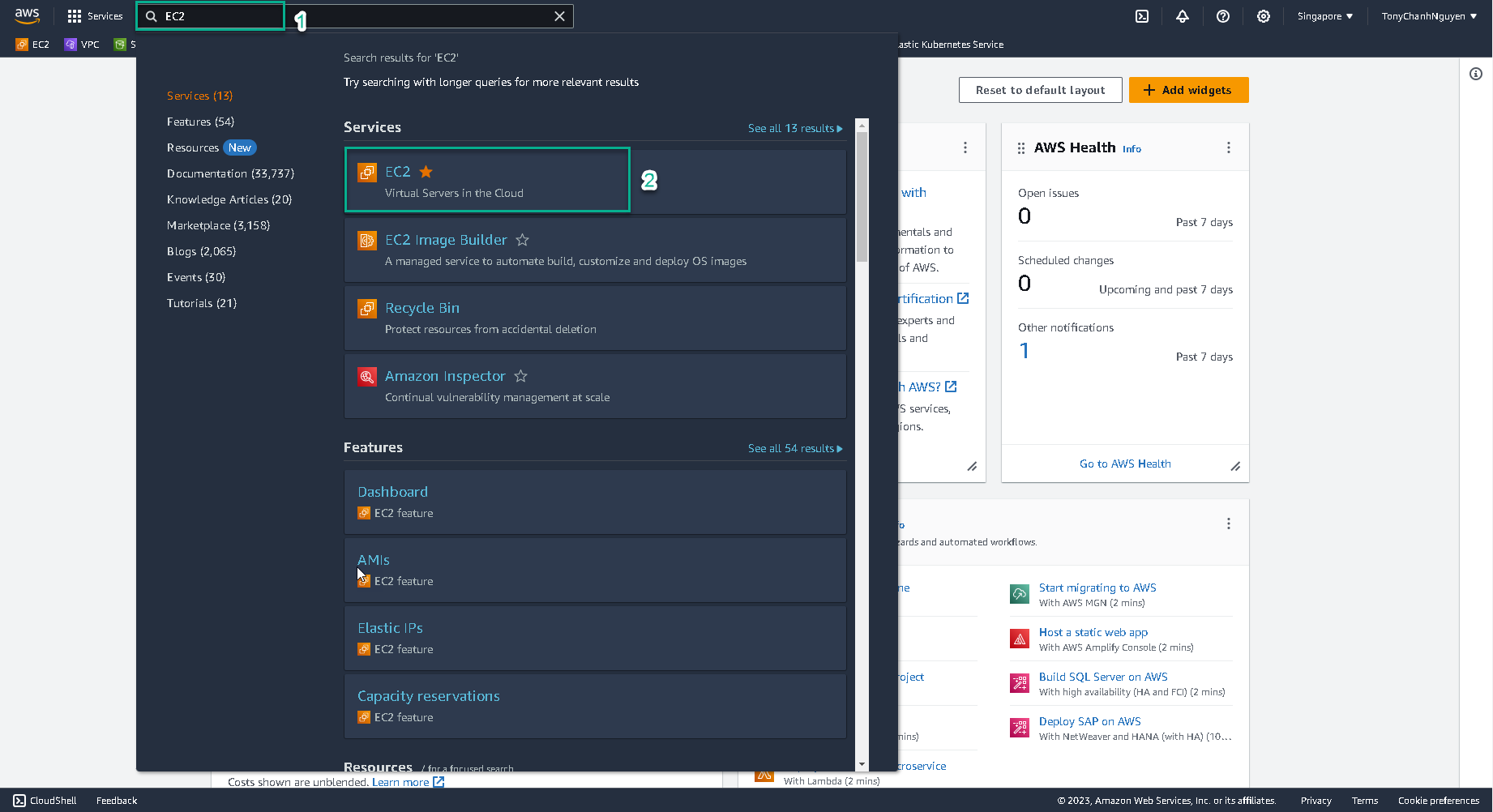
Go to
AWS Management Console
.
Find
EC2
.
Select
EC2
.
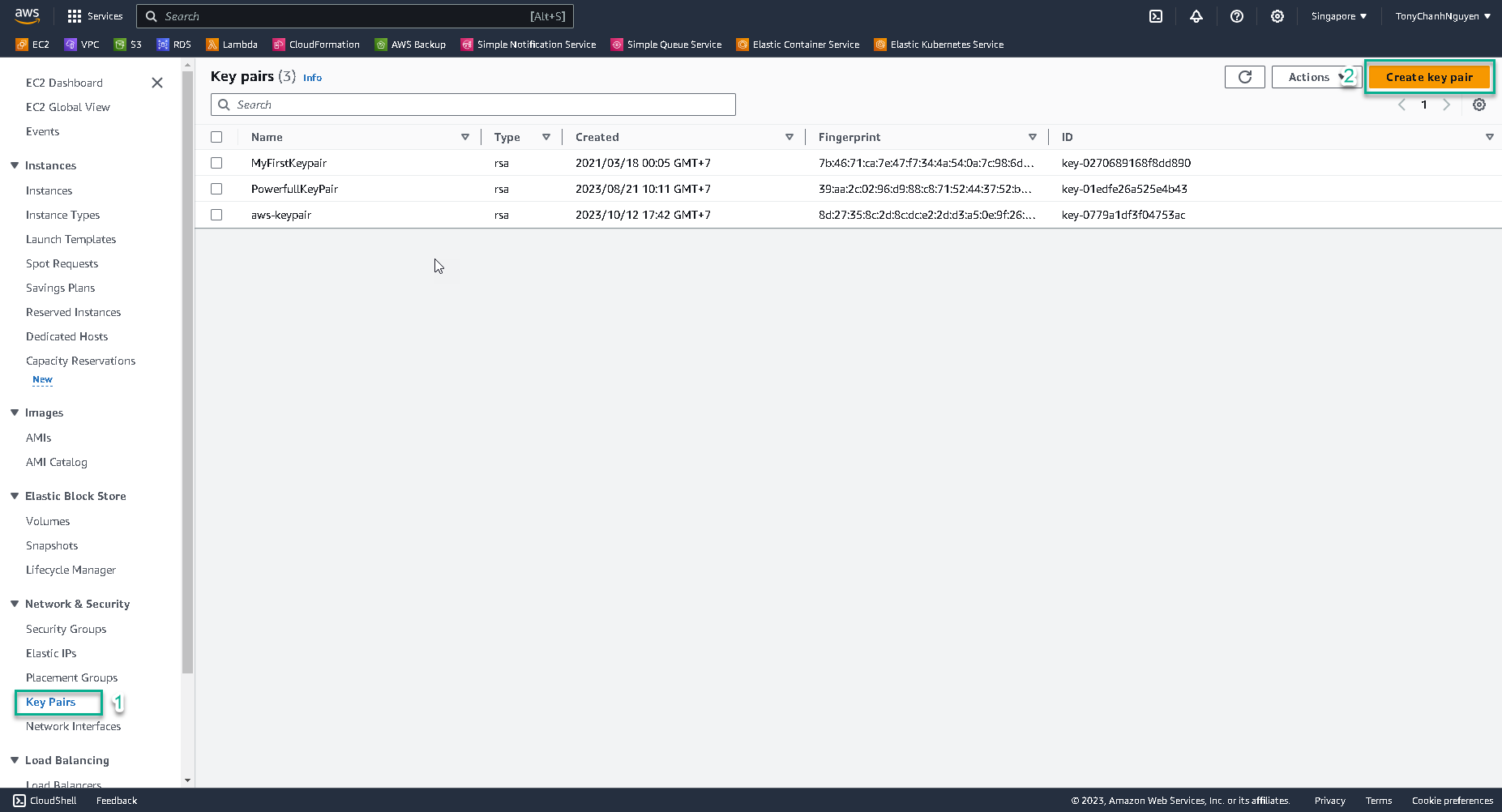
In
EC2
interface, select
Key Pairs
.
Click
Create Key Pair
.
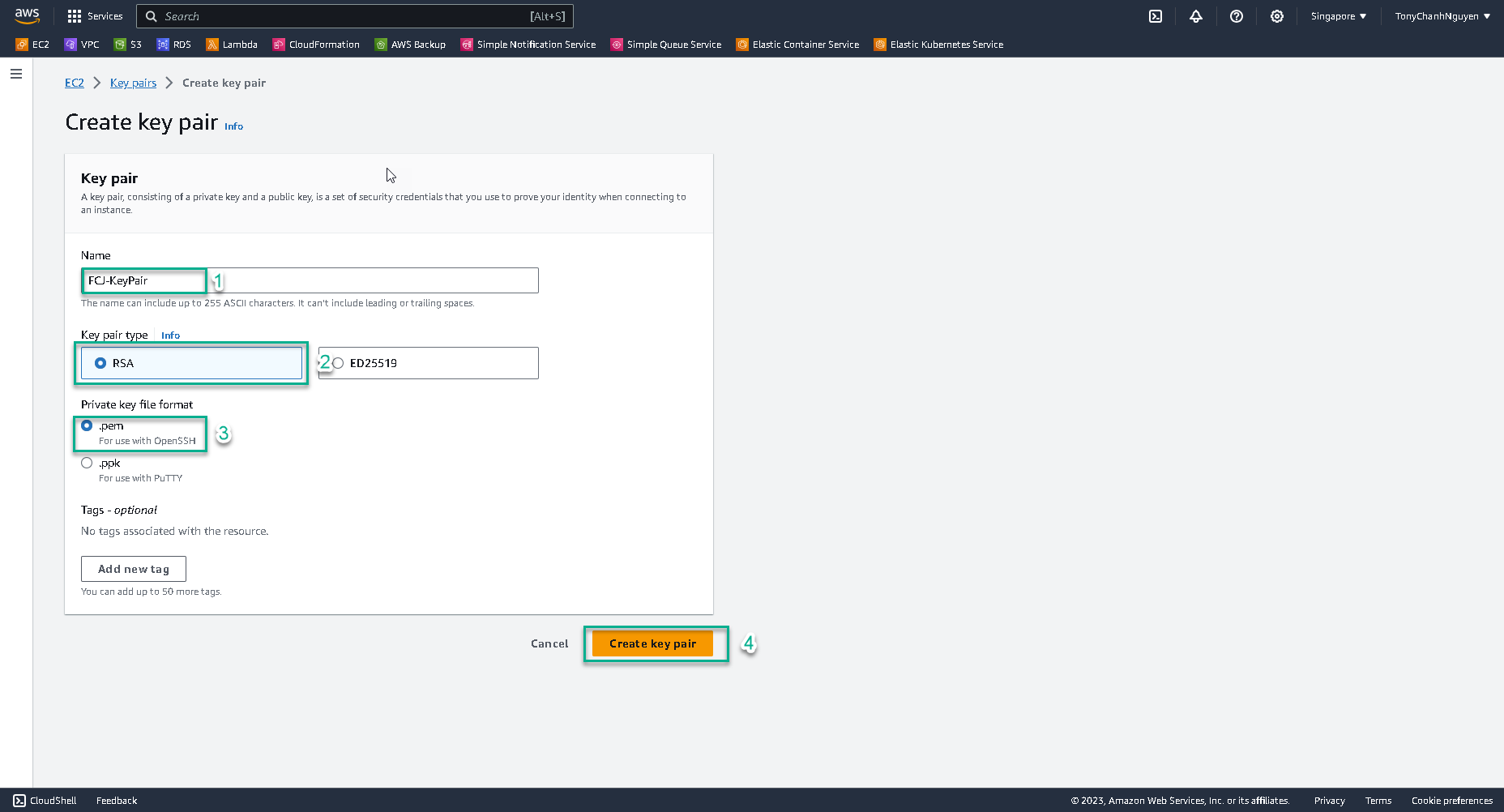
Input the name of key pair
FCJ-KeyPair
.
At
Key pair type
, choose
RSA
.
At
Private key file format
, choose
.pem
.
Click
Create key pair
to create.
Make sure that key pair file was downloaded into your local machine.