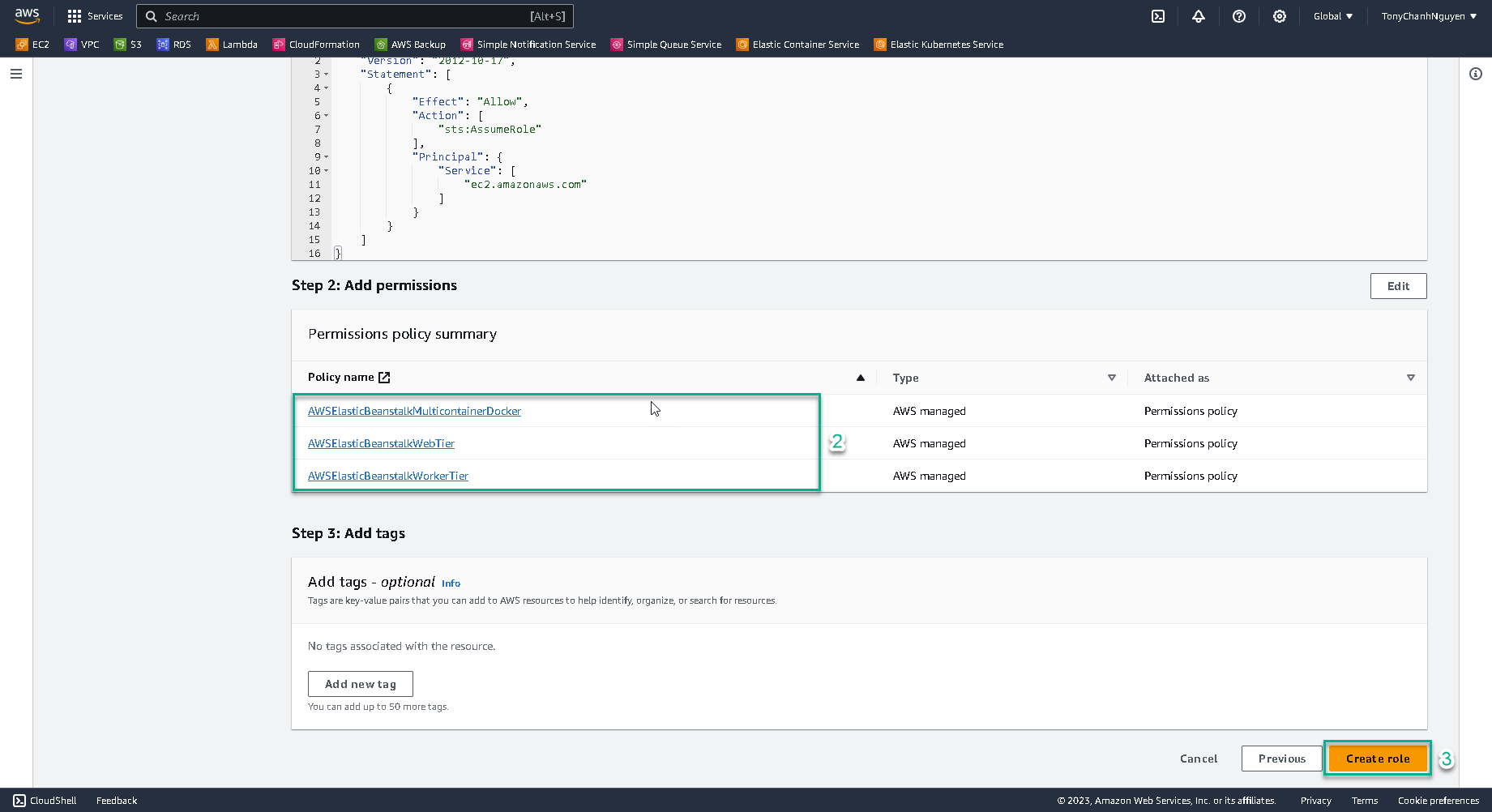
Create IAM instance role
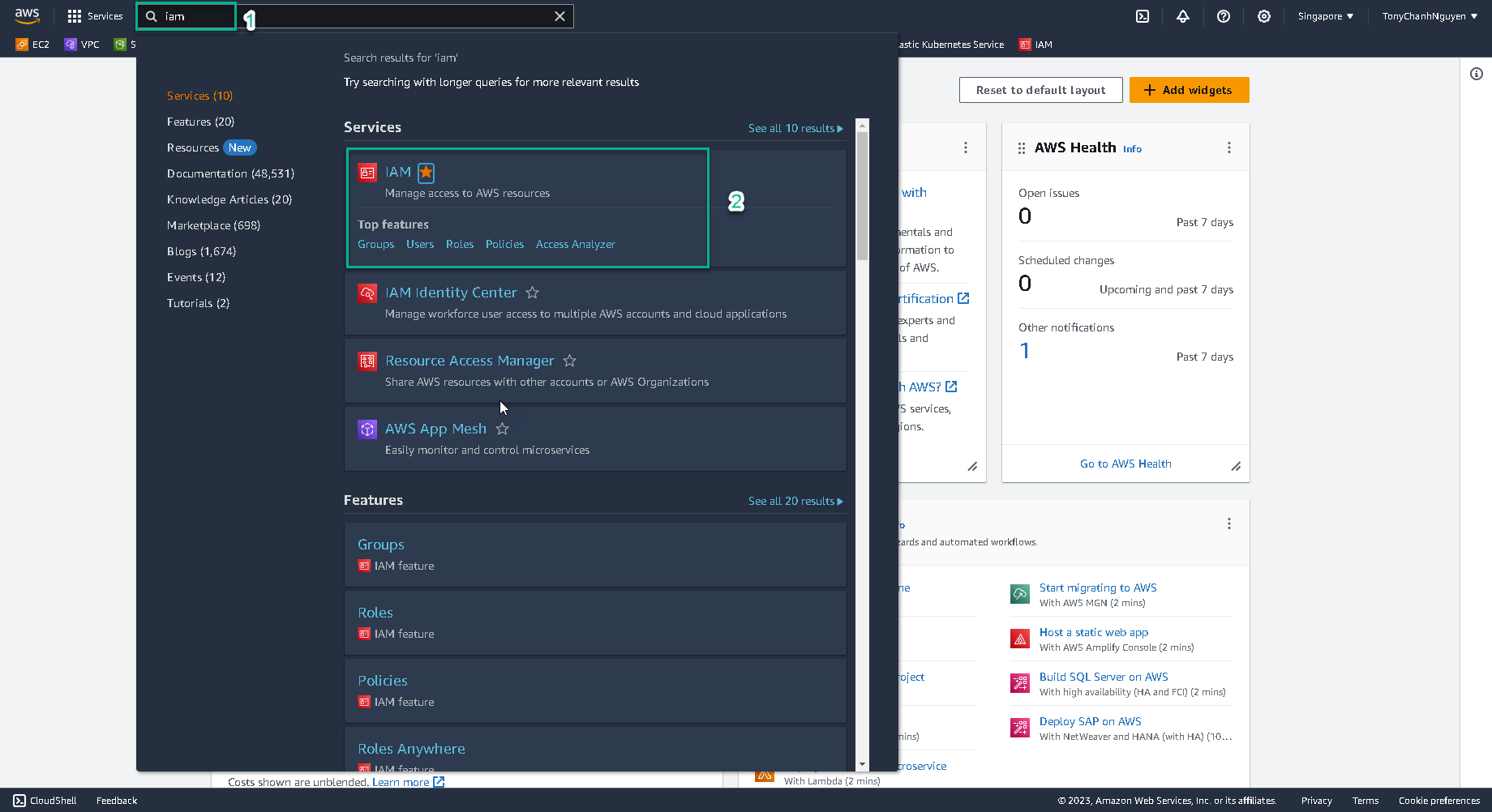
1.Go to AWS Management Console.
- Find IAM.
- Select IAM.
-
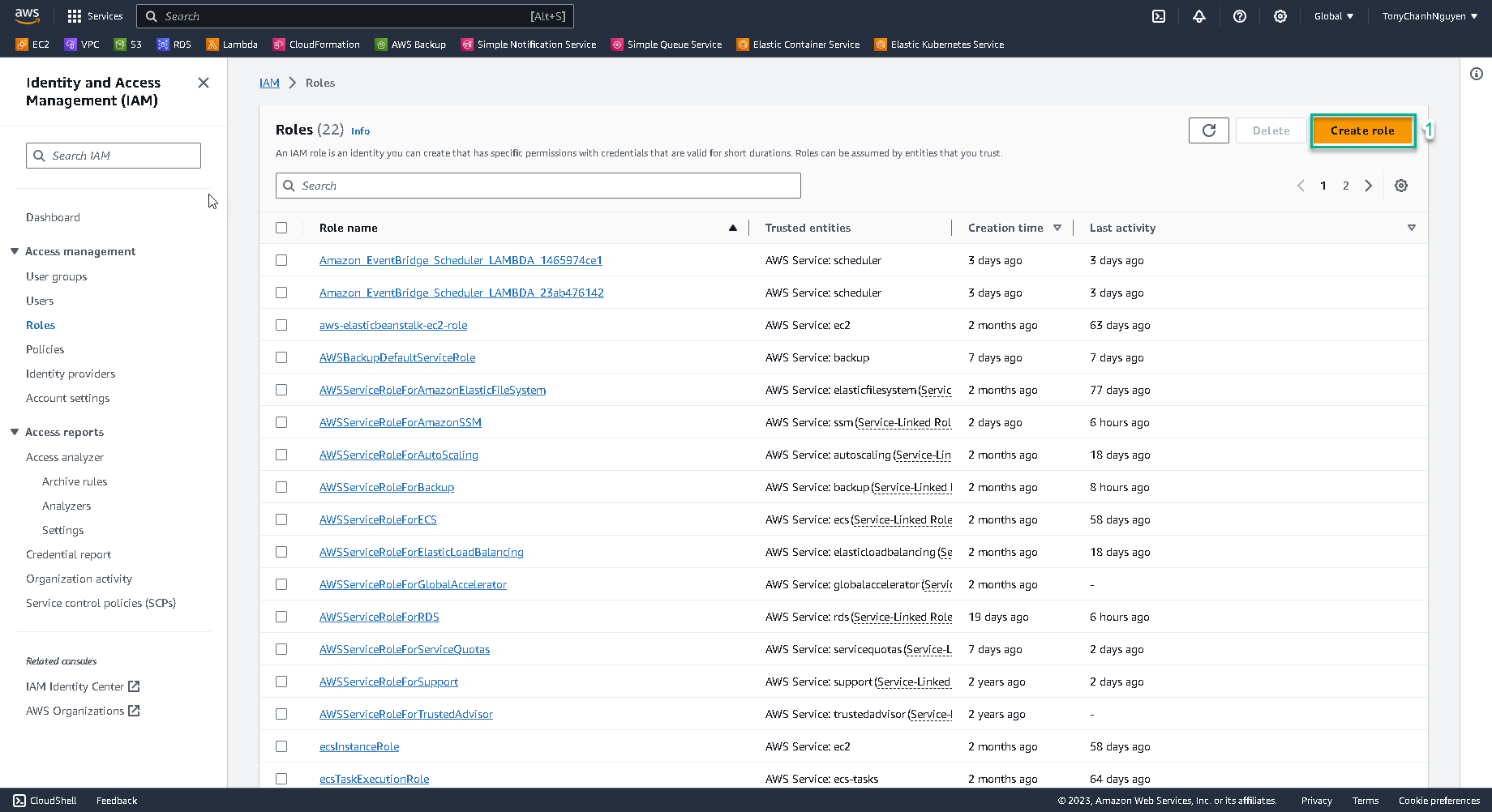
In IAM interface, select Roles.
-
In Role interface, search the role name
aws-elasticbeanstalk-ec2-role. -
If this role is existing, you can skip this step and go to 3. Create Develop environment in Elastic Beanstalk.
Check and make sure that this role was created with 3 policies AWSElasticBeanstalkWebTier, AWSElasticBeanstalkWorkerTier and AWSElasticBeanstalkMulticontainerDocker.
-
If the role is not existing, you can create new role by clicking Create role.
-
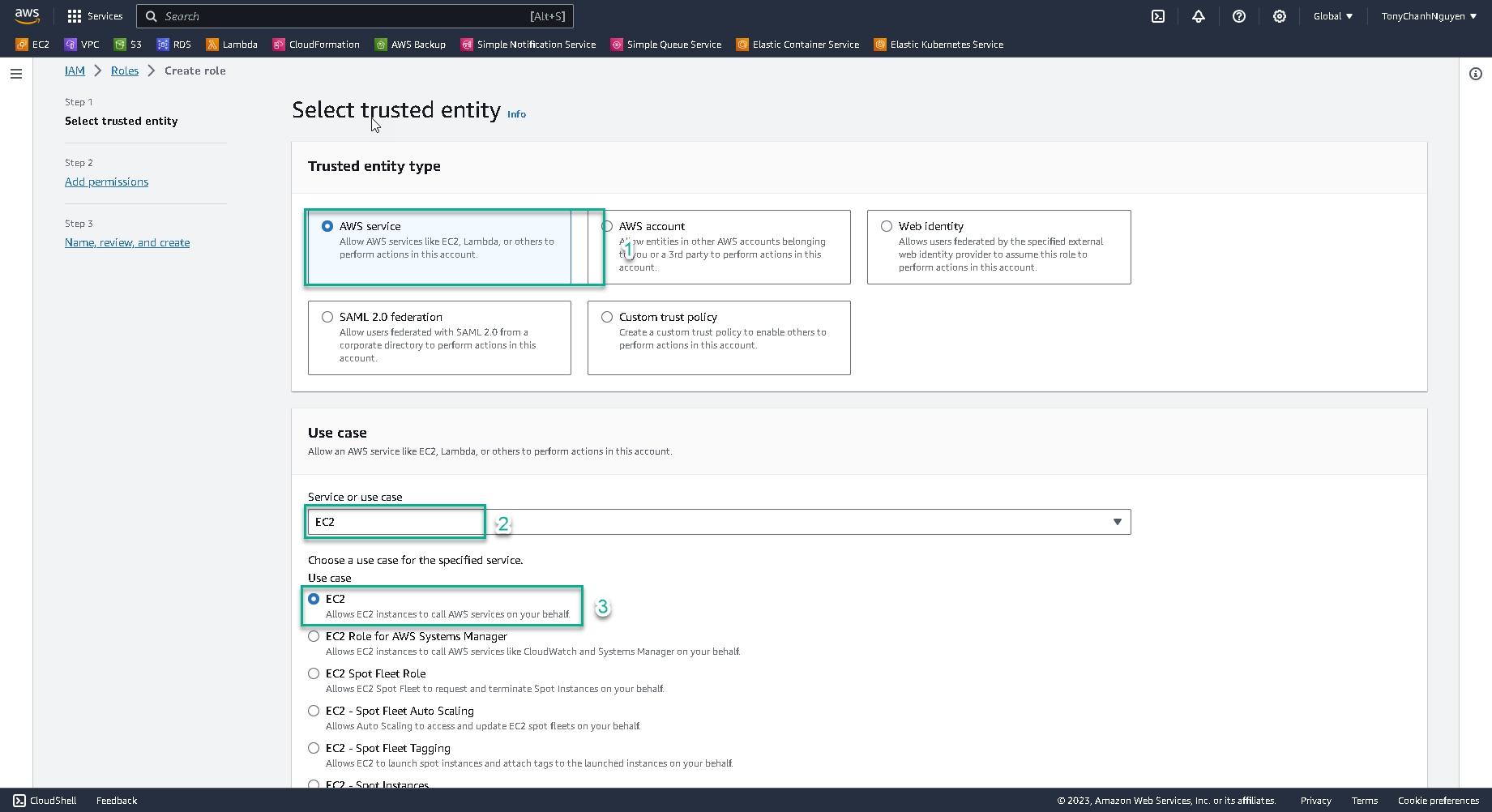
At Trusted entity type interface:
- Choose AWS service.
- At Use case, search and choose EC2 as service.
- Choose EC2 as use case.
- Then click Next.
-
Then, search and add policies
AWSElasticBeanstalkWebTier,AWSElasticBeanstalkWorkerTierandAWSElasticBeanstalkMulticontainerDocker.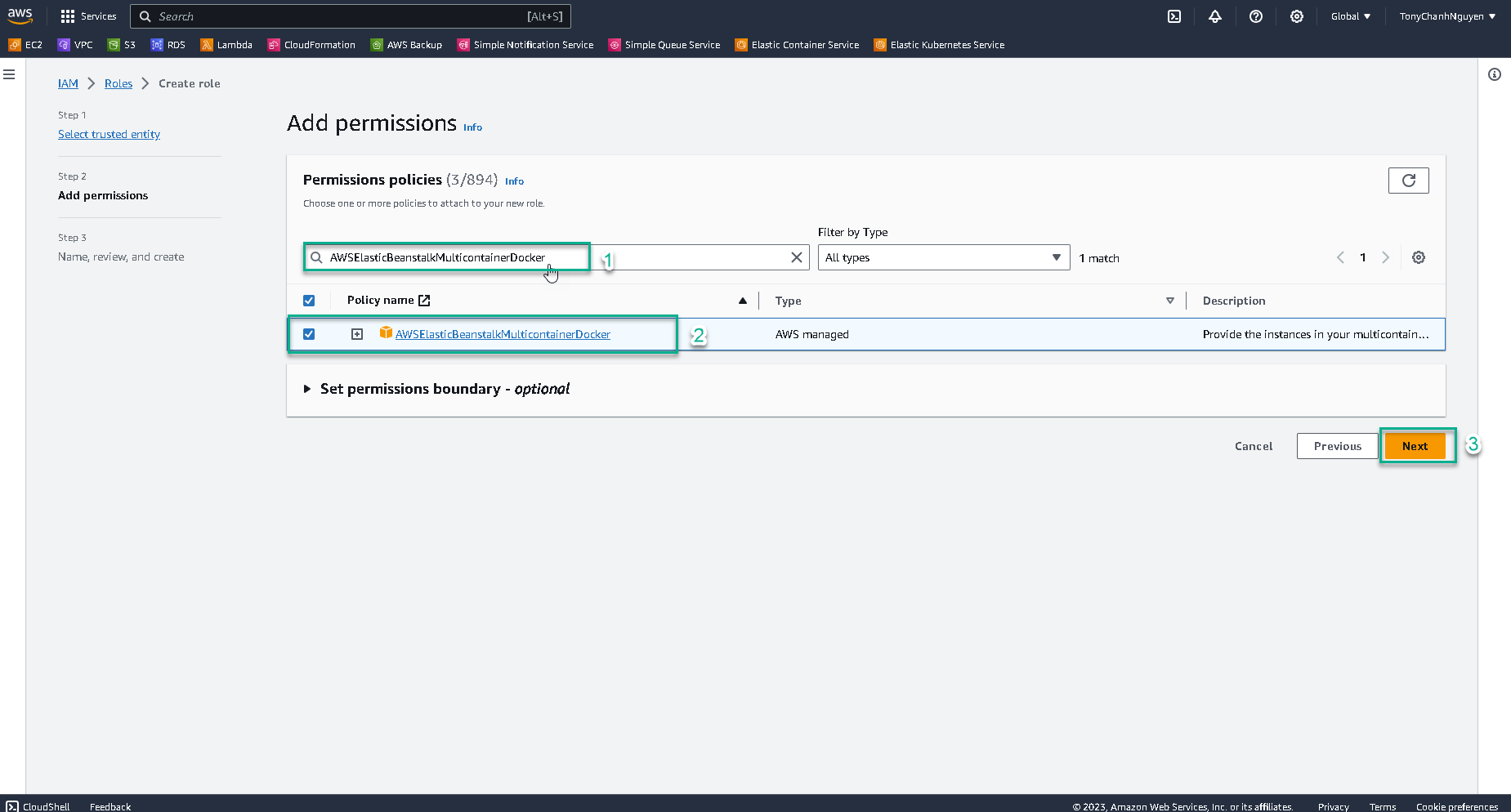
-
Input the name of role
aws-elasticbeanstalk-ec2-role.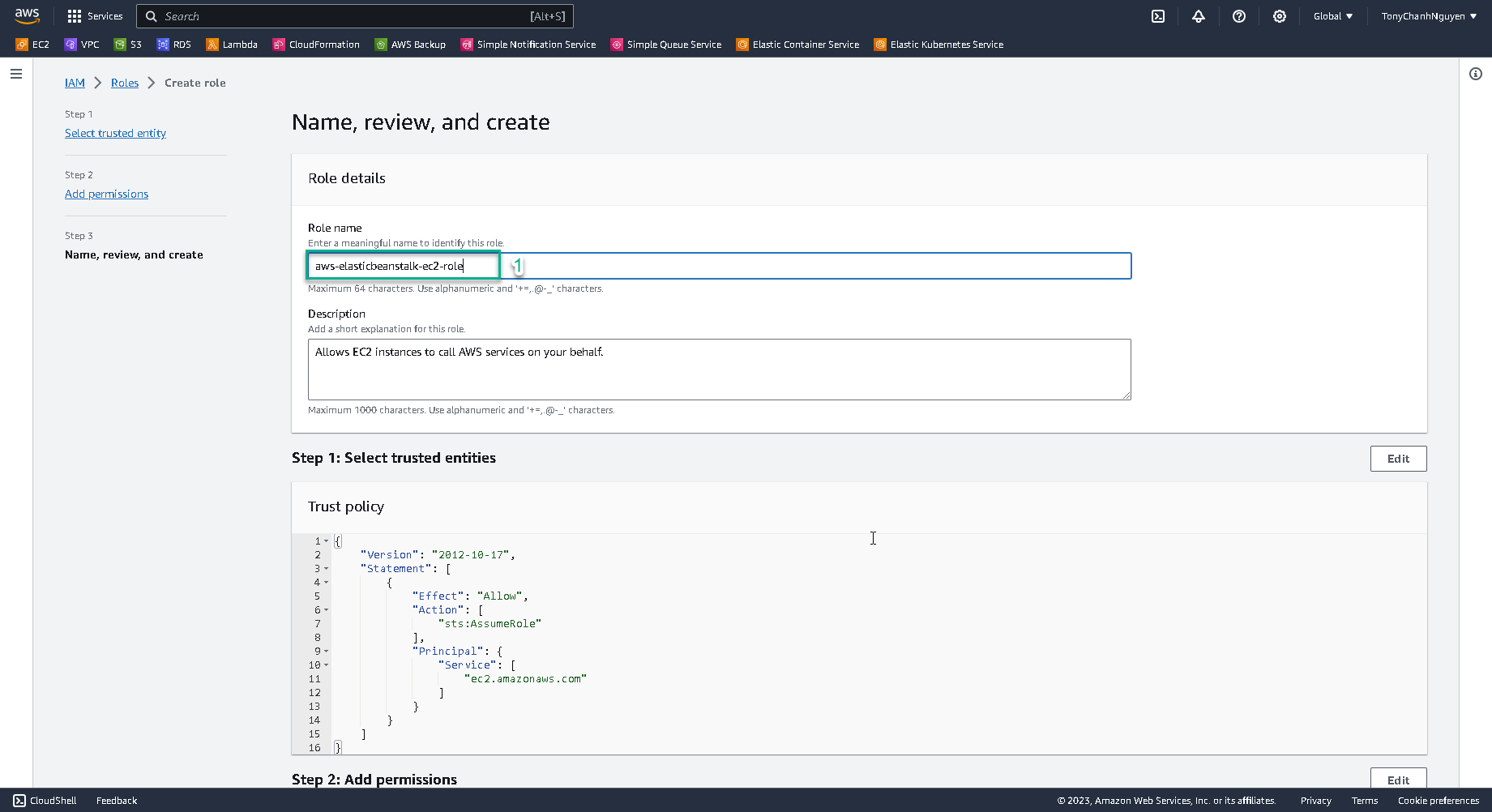
-
Scroll down and check 3 policies
AWSElasticBeanstalkWebTier,AWSElasticBeanstalkWorkerTierandAWSElasticBeanstalkMulticontainerDockerwere added. Then, click Create role to create the role.